

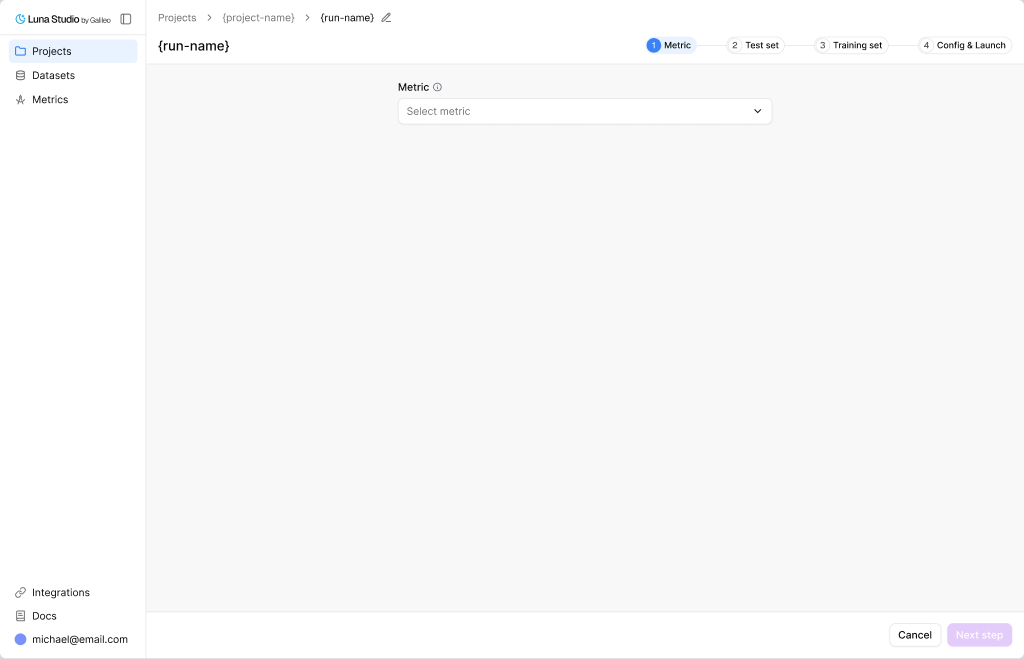
Step 1 — pick a built-in metric or define your own with a custom prompt
Pick a metric
The Metric select is searchable. It includes trainable Galileo LLM-as-judge metrics available to your workspace, plus custom metrics and prompts your org created. The picker is organized into three groups:- Galileo presets — built-in Galileo scorers that Luna Studio can train.
- Custom Galileo metrics — custom metrics already created in Galileo.
- Saved custom prompts — prompts previously authored in Luna Studio.
Inspect a selected template
Once you pick a template, the form expands to show a read-only Metric details panel:- Output type — the metric’s return shape (Boolean, Categorical etc.). See Output types.
- Step — the trace step the metric runs against (LLM span, Retriever, Agent span, or Trace).
- Input step — the input shape Luna Studio expects for training data, such as a single message, input / output pair, full trace, or full session.
- Prompt — the LLM-as-judge prompt the template uses, in a read-only textarea.
Write a custom prompt
For metrics that don’t fit a template, click the dropdown’s Use custom prompt option (with a+ icon). The form switches into editable mode.
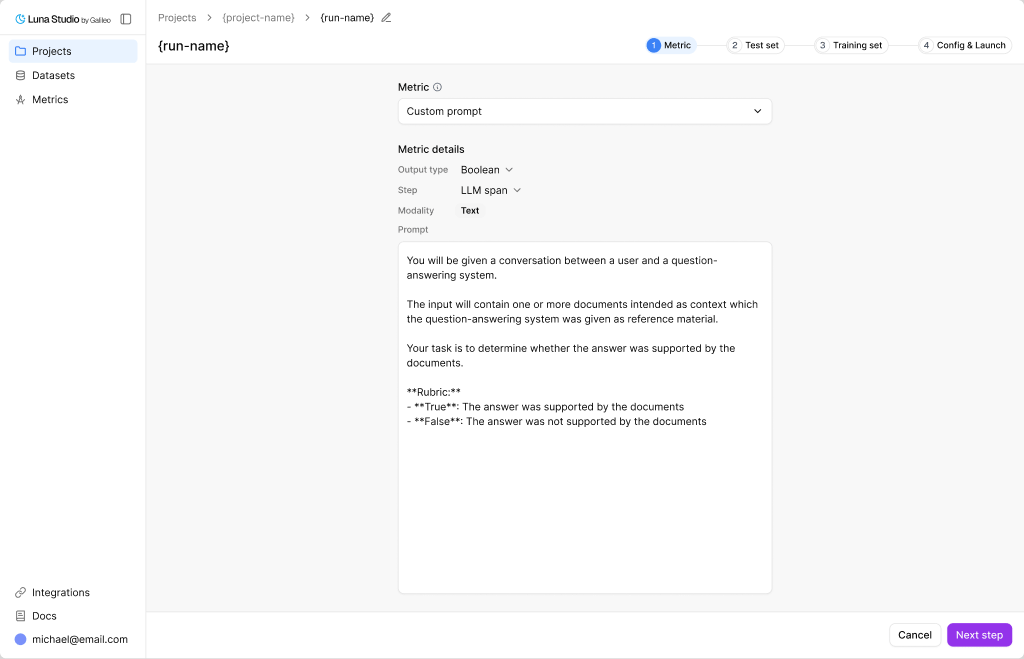
Step 1 with Custom prompt expanded — write your own LLM-as-judge prompt for the metric
Output types in detail
Other Galileo output types are not trainable in Luna Studio yet. The output type also constrains what label values your test set can use during validation. See Test sets.
Steps in detail
The right step depends on what your metric needs to see. For “is the final answer toxic?” use LLM span or Trace. For “are retrieved chunks relevant?” use Retriever.
Input steps
Note: Full trace and full session inputs require user-supplied training data; synthetic generation is disabled for those shapes.
Prompt-writing tips
- Be specific. Define exactly what counts as a positive vs negative result.
- Give examples. One or two short examples per outcome class is plenty.
- Constrain the output. End the prompt with something like “Respond with only
trueorfalse.” for Boolean metrics. - Avoid open scales. “Score 1–10” is harder for an LLM judge to keep consistent than a binary or 3-class categorical.
Where to go next
Step 2 — Test set
Pick the labelled dataset Luna evaluates against.
Test sets
Schema rules and best practices for evaluation data.